
Manage your guidance session
For a user that already gave us his consent we will generate a notification throw the webhook Guidance ready when a new guidance is available.
The duration between a guidance and another one may vary and will depend on the activity of the account linked to the user.
Workflow
-
Get a guidance ready webhooks
Example :
{ "content": { "company_identification_number": "529196313", "user_id": "ecc4eaee-0554-4b4f-8937-3c5b816617f6" }, "timestamp": 1779981250435, "type": "guidance.health.ready" } -
Inform the user that a new guidance is available
-
Generate a guidance session
Example :
{
  "user_uuid": "9a06895a-7a97-48fd-92d5-eaebf4fdf2b1",
  "country_code": "FR",
  "company_identification_number": "529196313",
  "contact_email": "[email protected]",
  "contact_phone_number": "+33612345678"
}
Response example :
{ "id": "a838cdb0-42a0-42fb-bcf7-2bd5dcdce163", "url": "https://guidance.bridgeapi.io/session/a838cdb0-42a0-42fb-bcf7-2bd5dcdce163", "password": "Ab3!Cd4@Ef5(Gh6)Ij7K" } -
Display the link and the password to the user
Recommendations for Managing Session Passwords
- Store password temporarily only (≤ 30 min)
- Store the provided password in a database.
- Use a temporary in-memory field (runtime variable) or an encrypted cache with a TTL of 30 minutes.
- The password must be stored securely using at least AES256 or Bcrypt.
- Strictly limited access:
- Restrict access to the minimum number of people/services necessary.
- Passwords must not appear in logs, traces, exports, or observability tools.
- Display to the end customer:
- Display the password only once in the interface.
- Do not send it by email/SMS by default. If transmission is required, use a secure channel.
- If the user requests to display the password again, it must be shown in the customer's tool. To obtain the password, the user must be authenticated and have a valid session.
- Post-use:
- Delete any temporary copies immediately.
- In case of an incident (suspected data leak): generate a new session/password and invalidate the old one as soon as possible.
-
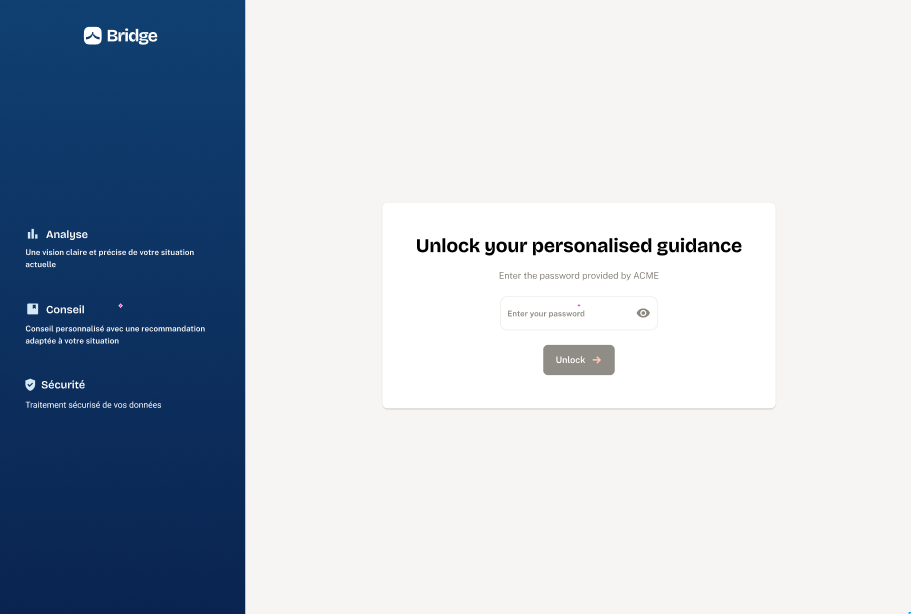
The user will insert the password within guidance to secure the access
-
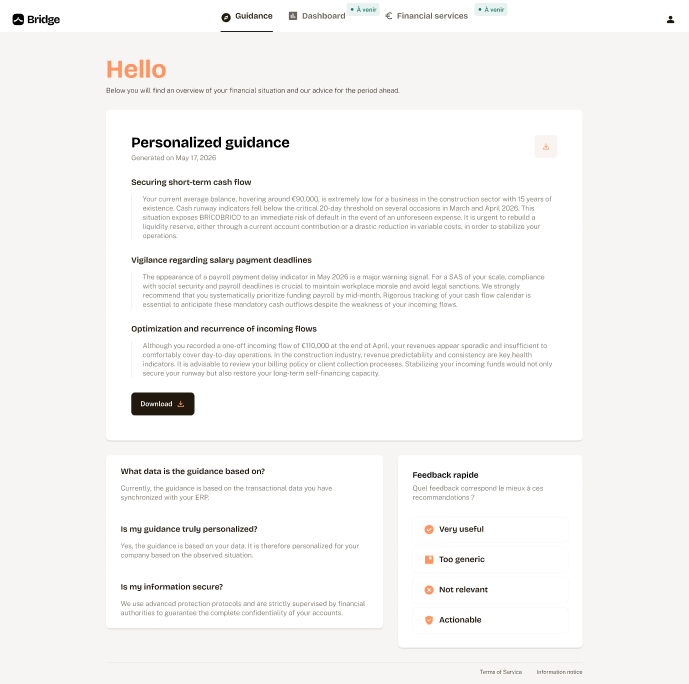
The user will get his personalized guidance
Updated 5 months ago
Did this page help you?